Skip to content

Welderstal plugins for Fairino / FR cobots

The plugin is not a separate marketing slogan. It is a practical tool meant to help the operator work at a prepared WS cell: in welding, palletising, with points, parameters and process changes.

FR is the robot base. WS is a cell with the process, equipment, plugins, commissioning, training and support. This page shows where the plugins really help.

A plugin only makes sense in a prepared cell

The Welderstal plugin helps the operator work with points, parameters and process patterns. It is most valuable when combined with the selection of the tool and equipment, testing, training and support.

Starting point
Fairino / FR arm alone

The Fairino / FR arm and the manufacturer’s standard tools.

WS cell with the Welderstal plugin

A WS cell with a matched process, equipment, plugins, training and support.

Day-to-day operation
Fairino / FR arm alone

More work on the integrator’s or a technical person’s side when the process changes.

WS cell with the Welderstal plugin

The operator works with prepared points, parameters and process patterns instead of starting the configuration from scratch.

Deployment
Fairino / FR arm alone

Software alone does not solve the choice of tool, safety and cell organisation.

WS cell with the Welderstal plugin

The plugin is one of the elements of a commissioned cell: together with the tool, testing, training and support.

Two plugins, two different applications

The welding plugin and the palletising plugin should not be assessed in isolation from the cell. The input data, the risks and the operator’s way of working are different.

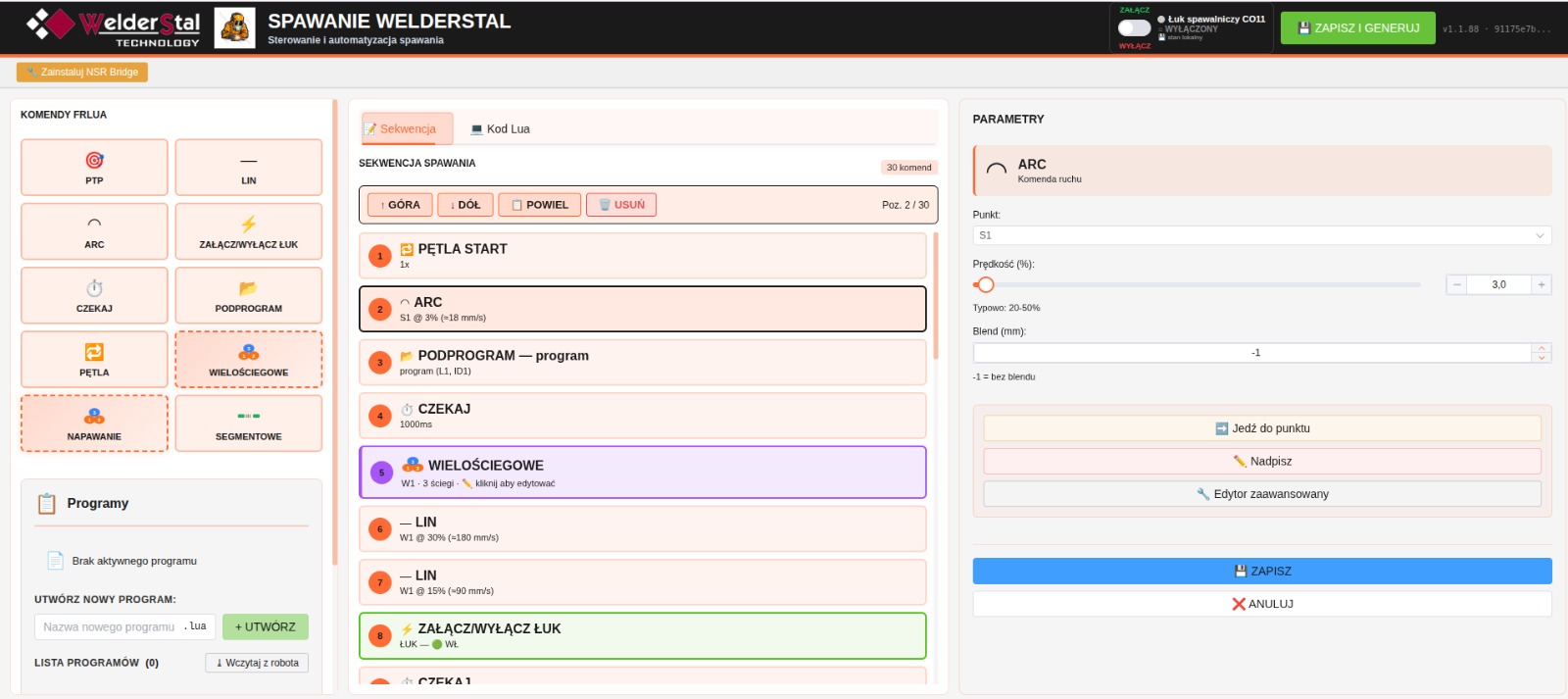
Welderstal Welding

The welding plugin helps prepare motion sequences, points and basic process parameters in a Polish or English interface. In practice it is meant to shorten the path from configuring the cell to the operator’s work.

Descriptions of the commands and parameters used to prepare the program, in Polish or English.

Working with points, moves and sequences without starting from blank code.

A clearer operator training process after the cell is commissioned.

Plugin scope matched to the specific WS welding kit.

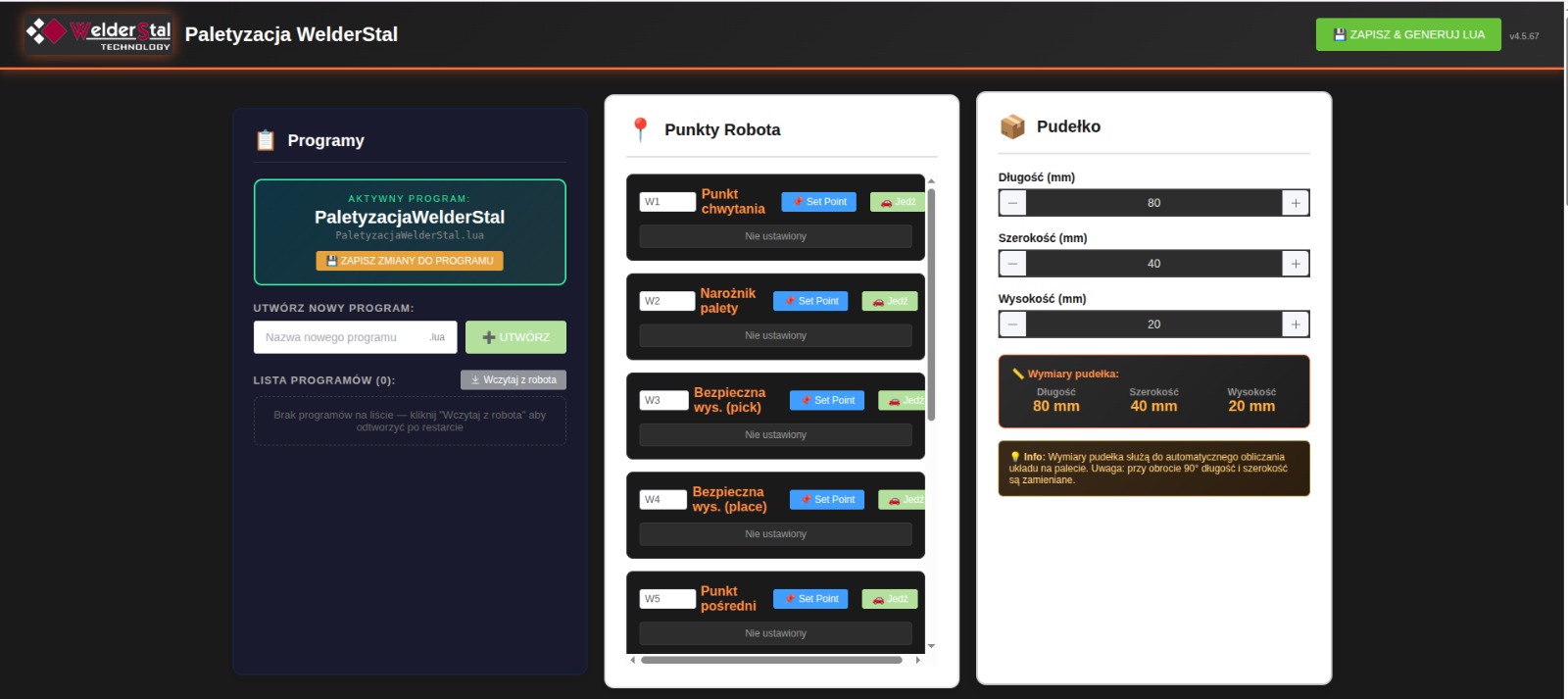
Welderstal Palletising

The palletising plugin supports working with pick points, the pallet pattern, layers and basic motion parameters. It is one of the elements that have to be matched to the product, gripper and cell layout.

Configuration of the packaging, pallet and layers in one place.

Handling format changes without writing a program by hand from scratch.

Better handover of the cell to the operator after the process is commissioned.

A natural complement to the WS-20 palletising cell.

How we match the plugin to the cell

Plugins are part of the deployment, so the conversation does not start with a question about the program screen. First we need to establish what the cell is to do and where the operator needs simplification.

Describe your process for assessment
01

Process assessment

First the part, product, tool, gripper, welding power source or palletising layout has to be defined.

02

Plugin scope selection

We agree which tasks the plugin is to simplify: points, parameters, layers, sequences or handing operation over to the operator.

03

Cell configuration

We combine the plugin with the equipment, cobot motion, safety, testing and the operator’s way of working.

04

Training and support

After commissioning, the operator and the technical team get a clearer operating path and a place to ask questions.

See the palletising plugin in practice

The video shows work with the palletising plugin. After watching, it is worth moving on to an assessment of your specific product, because the final cell scope depends on the packaging, gripper, pallet, space at the line and safety. The video is narrated in Polish.

When we select the plugin straight away and when the cell has to be checked

For a new WS cell we select the plugin together with the process. For an existing Fairino / FR cobot we first check the version, equipment, application and the operator’s way of working.

New WS cell

The safest path is to select the plugin together with the whole cell: the WS cobot, tool, equipment, configuration, training and support. We have described ready-made configurations as kits.

  • Scope agreed for the process
  • Configuration for the cell
  • Operator training
  • Support after commissioning
Ask about a deployment with the plugin

Existing Fairino / FR cobot

If your company already has a Fairino / FR cobot, the version, cell configuration, application and technical requirements have to be checked first.

  • Requires compatibility verification
  • Audit of the current cell possible
  • Scope depends on the application
  • No promise of universal operation
Check whether the plugin suits your cell

Frequently asked questions about the plugins

Does the plugin work on every Fairino cobot?

We do not claim that without verifying the specific configuration. The model, version, application, equipment and the cell’s scope of work have to be checked.

Is the plugin always included in a WS kit?

The kit scope has to be confirmed in the quotation. On this site we treat the plugin as an element of the deployment that can be matched to a welding or palletising cell.

Does the plugin replace the deployment of the cell?

No. The plugin helps with operation and configuration, but process selection, the tool, safety, testing, commissioning and training are still needed.

Can I ask just for a presentation of the plugin?

Yes. It is best to describe whether it concerns welding, palletising or an existing Fairino / FR cell. Then the conversation is about a real application, not just a program screen.

Want to check the plugin in your process?

Tell us whether it concerns welding, palletising or an existing Fairino / FR cell. We will reply with the scope that is worth checking further.